

How To Secretyly Send My Girlfriend A Keylogged Undetected To Her Phone
Y'all can now directly send Nintendo Switch screenshots to your phone or other smart device, but the process is kind of disruptive. One time nosotros saw how complicated things tin can become, we thought it would be best to create a stride-by-stride walkthrough to explicate how screenshot transfer works.
There are two ways to send Switch screenshots to another device. When you desire to send a screenshot to your telephone or tablet, you'll use the wireless method (which employs QR codes), and if you want to share images with a laptop or desktop, yous'll transfer via USB cable.
- The best Cyber Monday deals you tin can notwithstanding get
- Demand more adventures? We've got the best Nintendo Switch games
And as a reminder, you take screenshots by clicking the little circumvolve button well-nigh the bottom of the left Joy-Con (or above and to the left of the D-pad on the Pro controller).
But no matter how annoying this may exist, it'southward notwithstanding far easier than the two other methods nosotros've used in the past: posting direct to social media or ejecting your microSD card and connecting it to a computer.
We've striking only two hiccups so far. First, we tin't connect our Switch via USB to a Mac, as that method works just on PCs right now. Secondly, while Nintendo (opens in new tab) says "Upward to 10 screenshots and 1 video capture can be transferred wirelessly at 1 fourth dimension," we've only been able to transport the single video or the ten screenshots, not both. Selecting a video takes abroad the option to add photos, and videos are not available to add together once you've selected photos.
Let's offset with the method to send screenshots (and video) to your phone or smart device, since that'south the easiest to practise.
How to send Nintendo Switch screenshots to your telephone
All y'all need for this procedure is a phone or photographic camera-equipped smart device, as this requires a QR code reader.
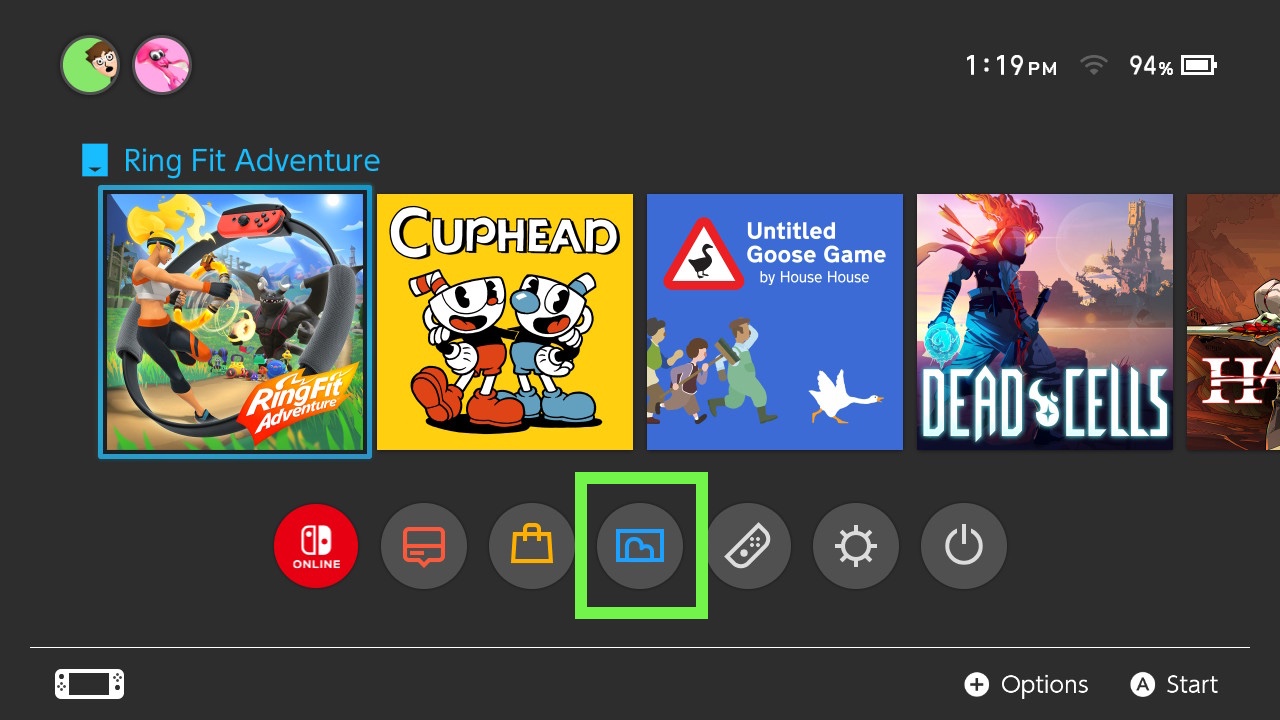
1. Open Albums on the home screen.
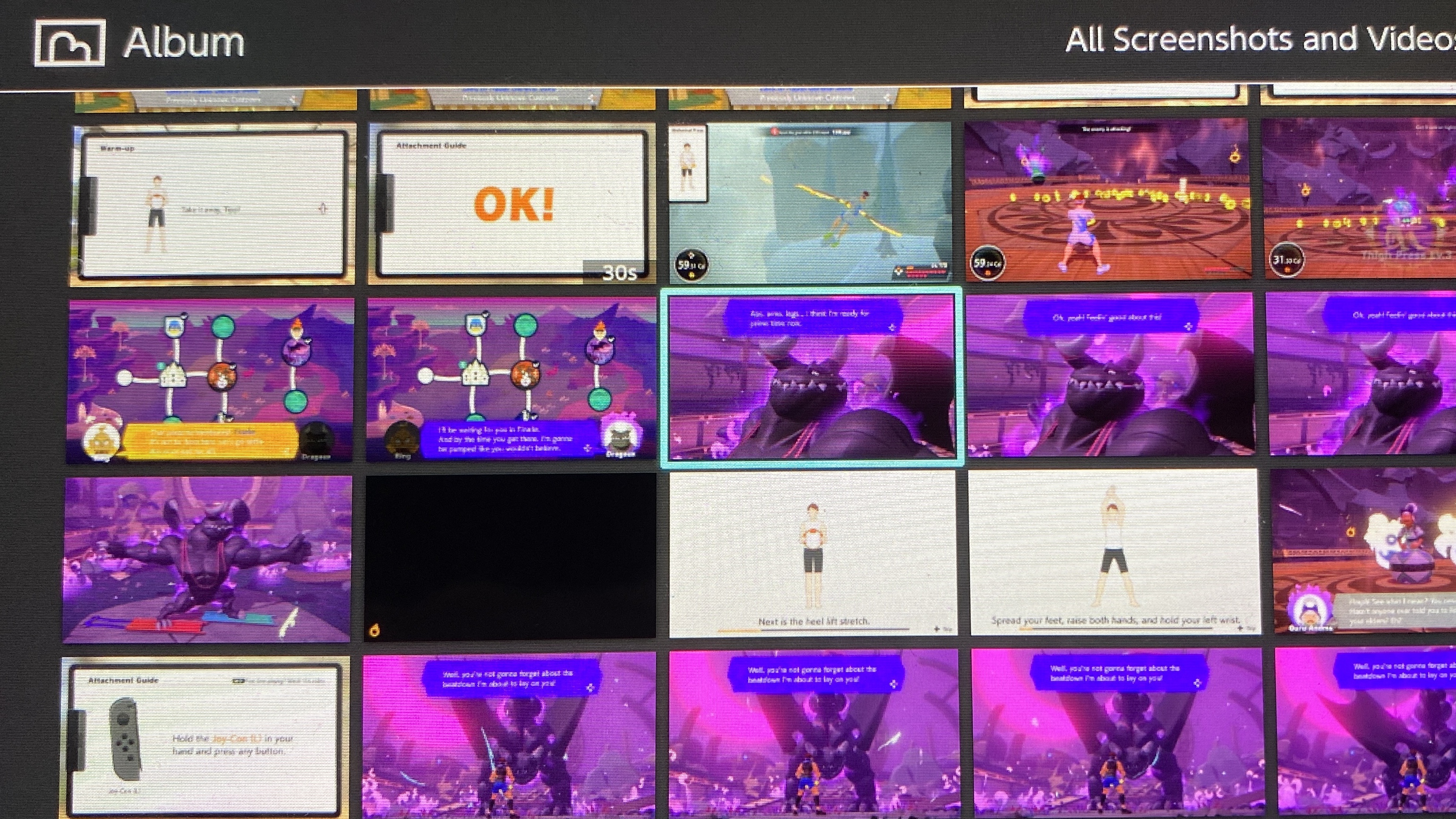
2. Select a photo or video
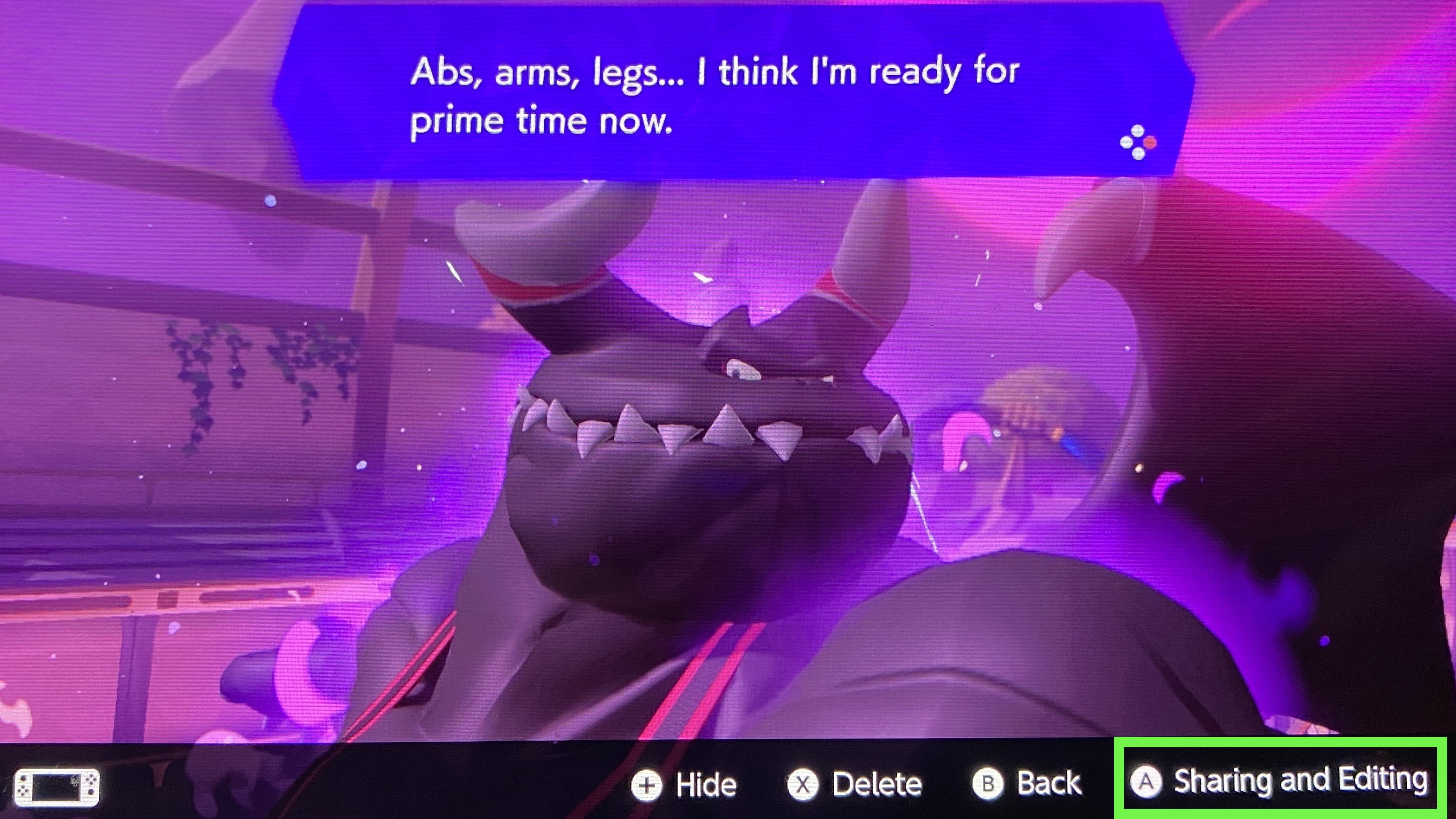
3. Click A
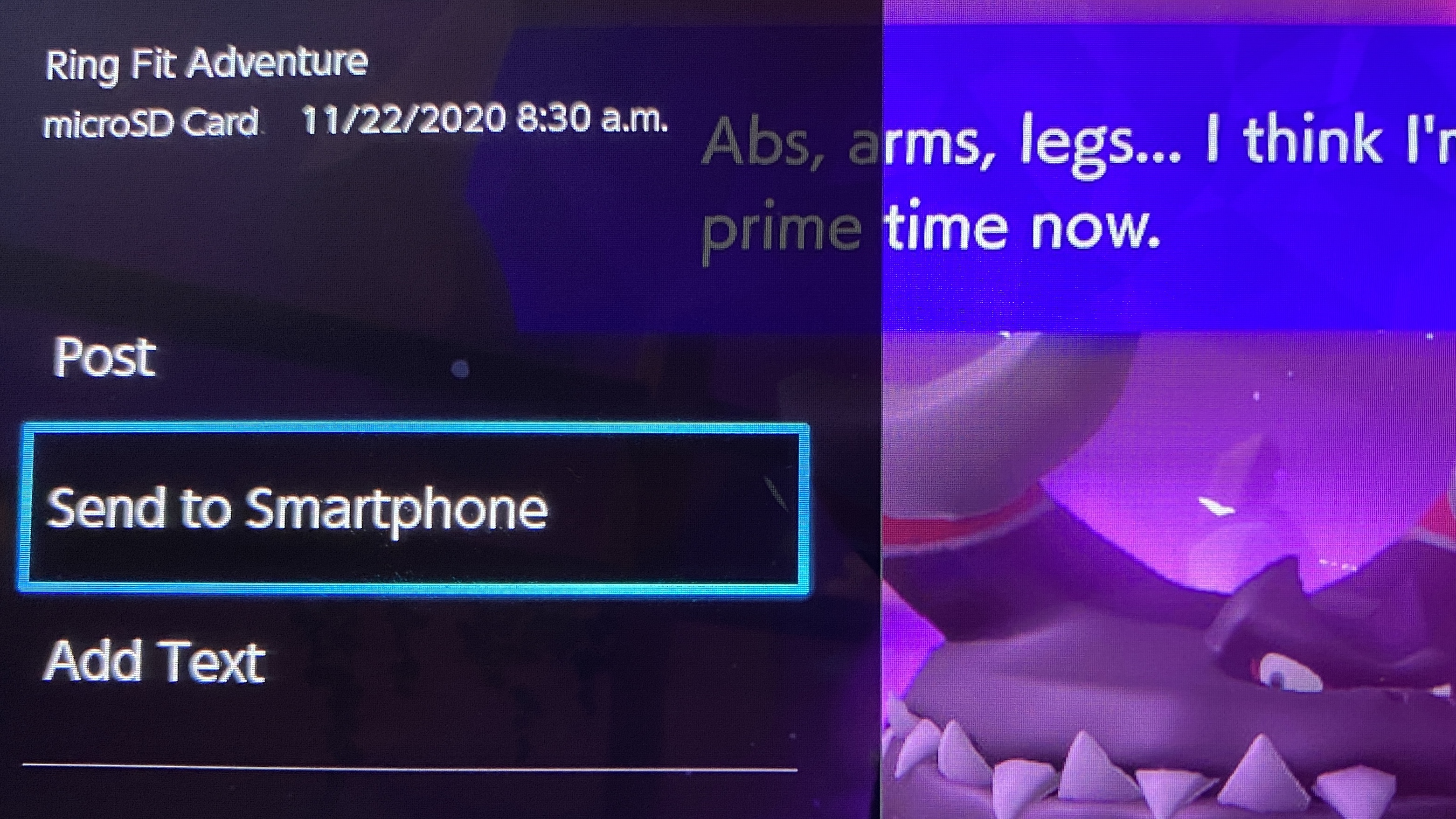
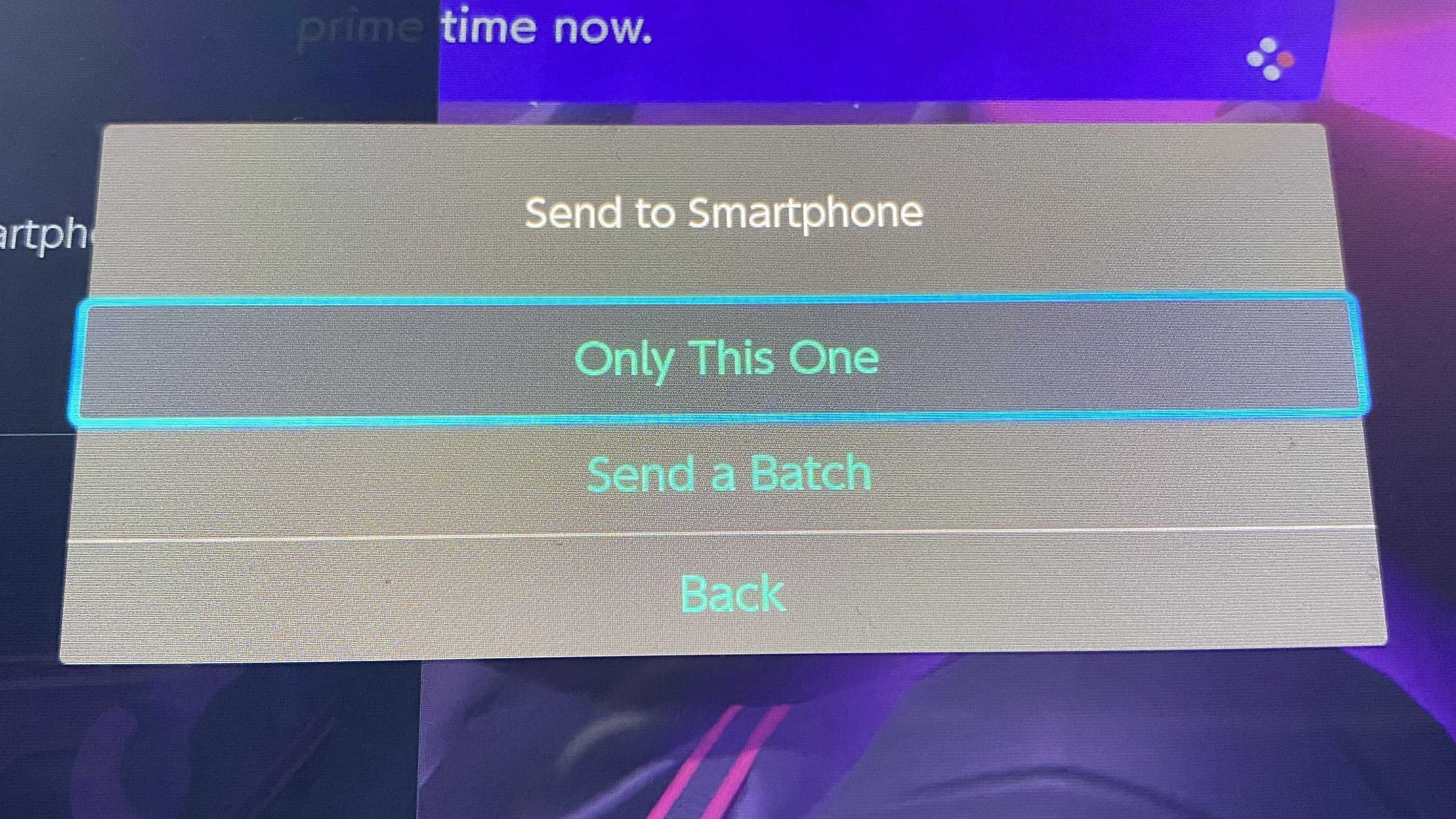
4. Select "Send to Smartphone"
5. Select "Only This One" or "Send a Batch"
If you select "Send a Batch" you'll become to check off other photos to send. Currently, the limit for a single transfer is 10 photos or 1 video.
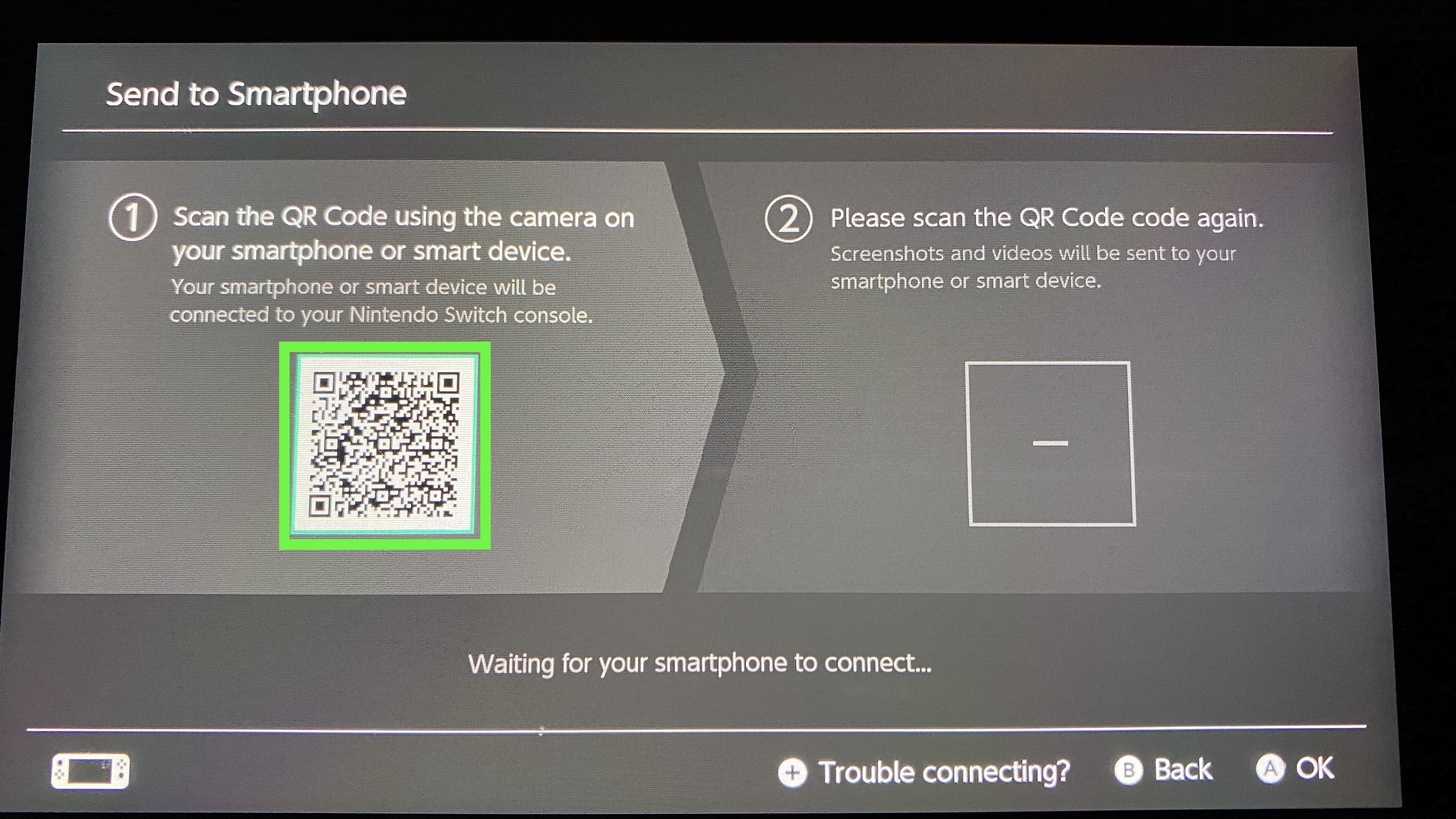
6. On your smartphone, open up your photographic camera and focus on the QR lawmaking
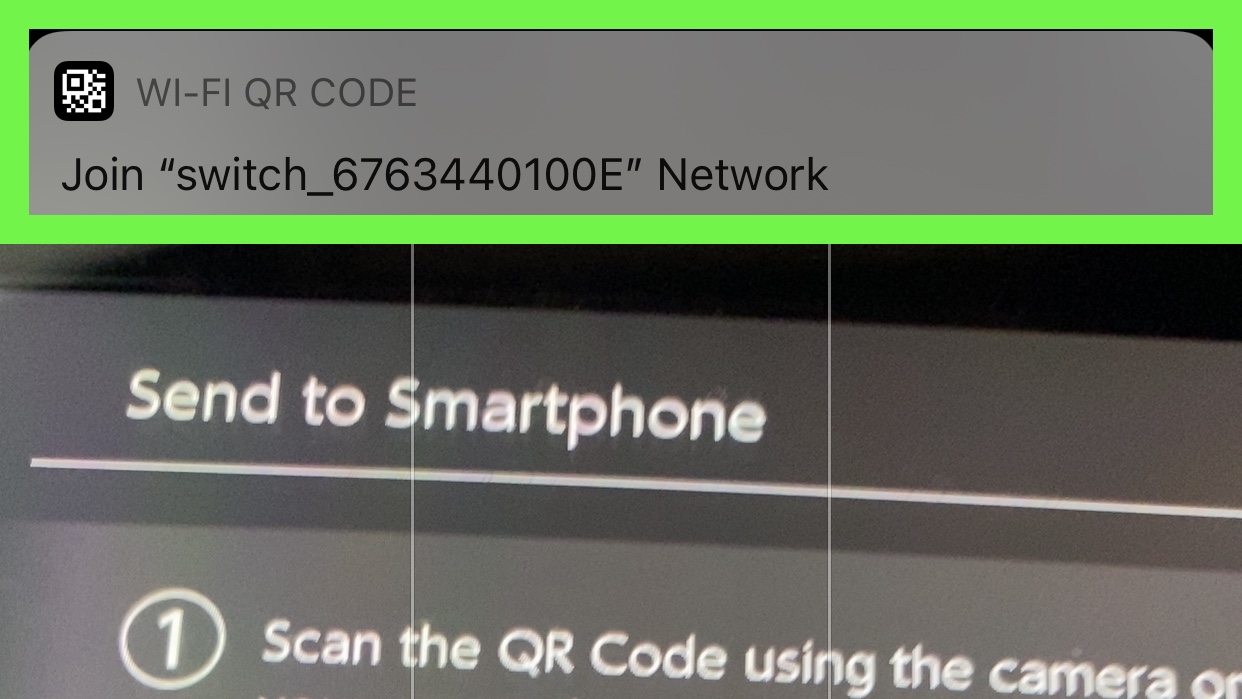
7. Tap the join network prompt
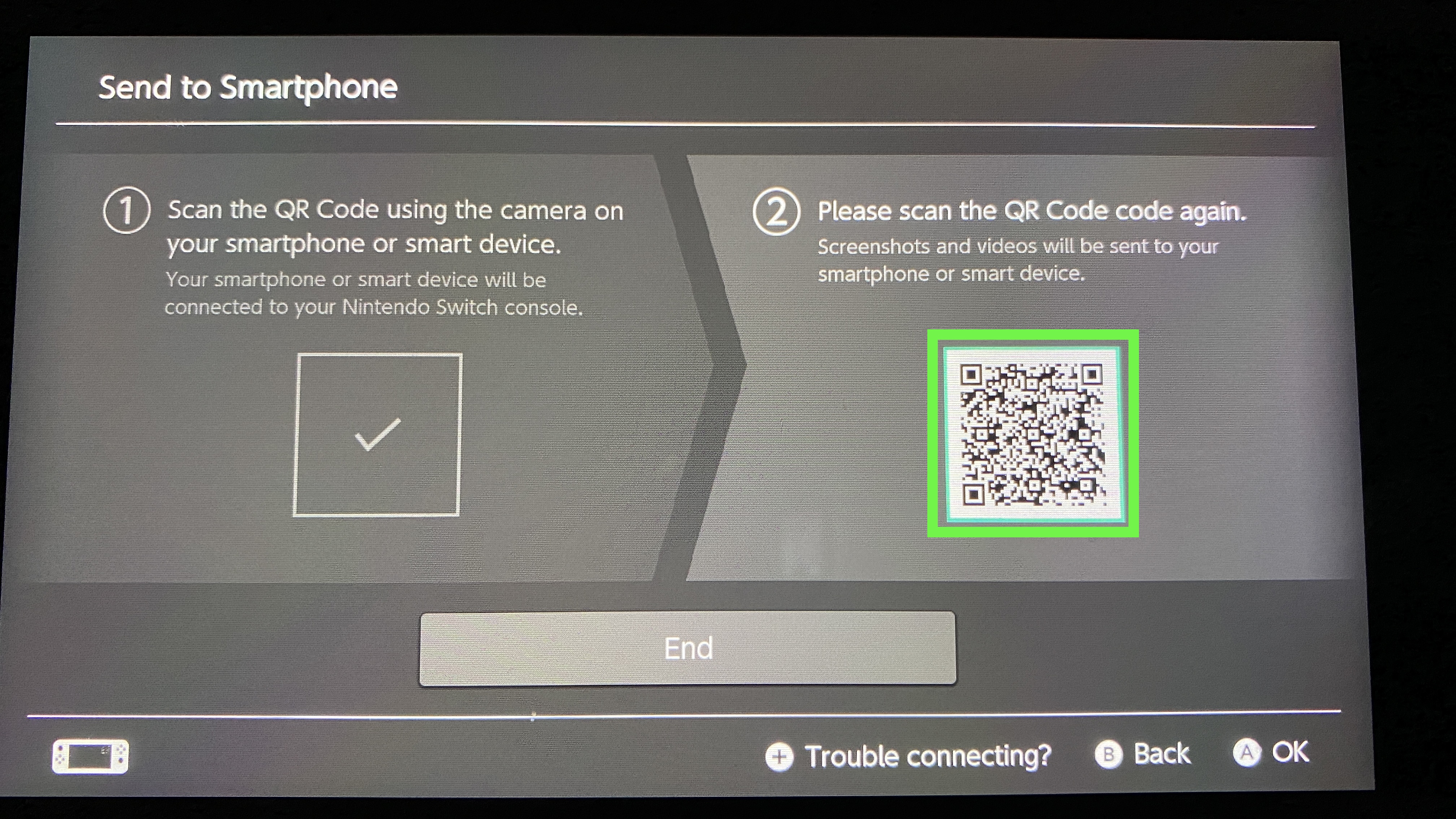
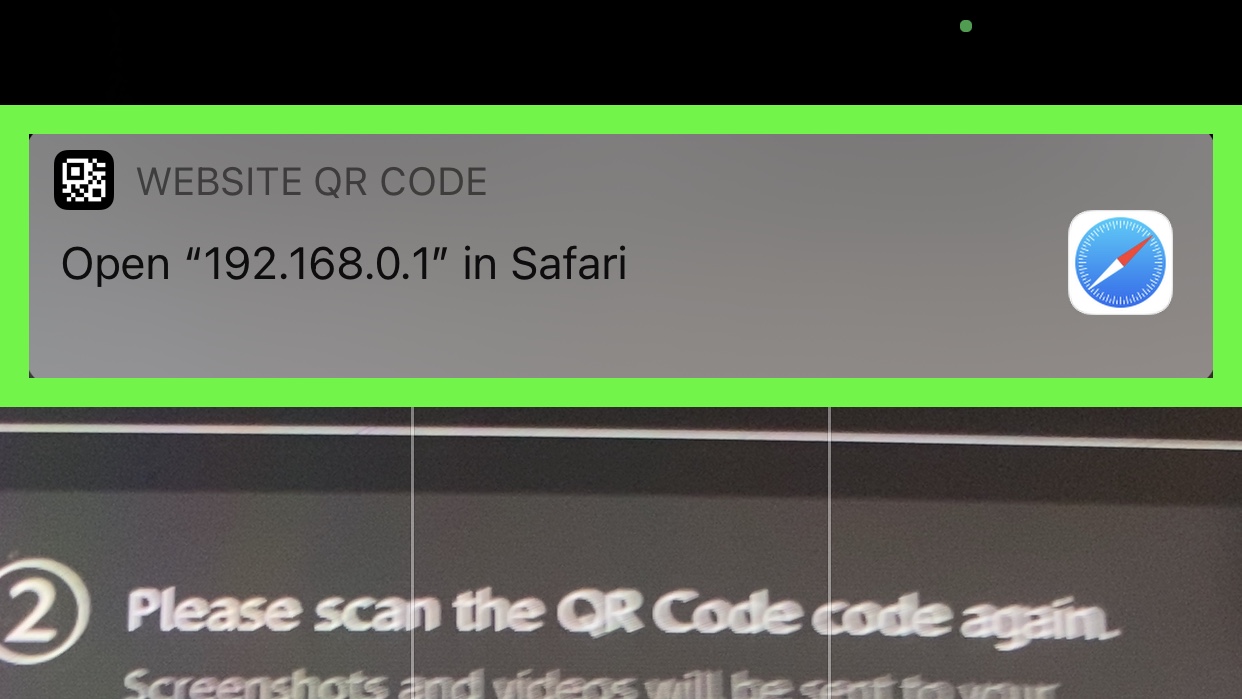
8. Focus your device camera on the new QR code.
9. Tap the open network prompt.
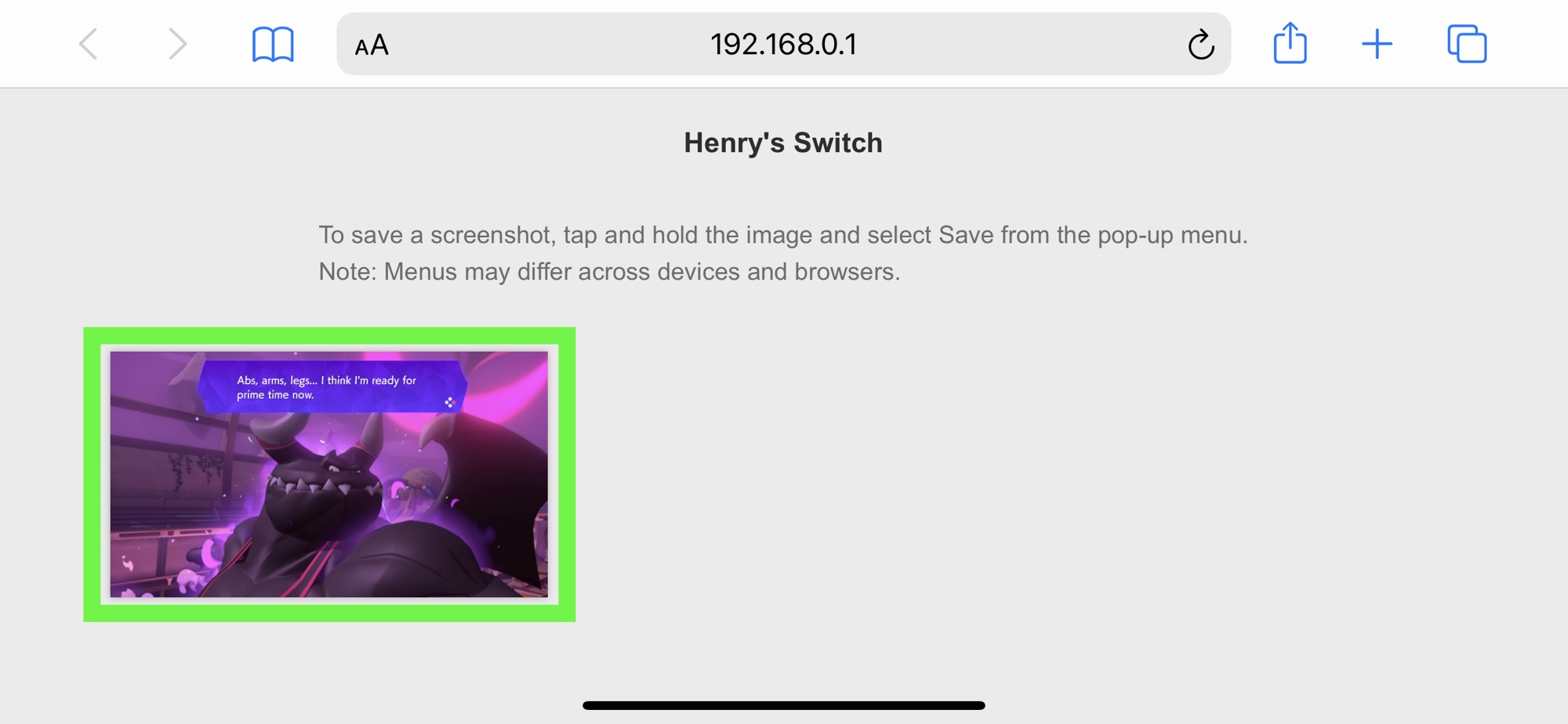
10. Tap on a photo
If you lot sent a video, you lot'll see a download push underneath information technology.
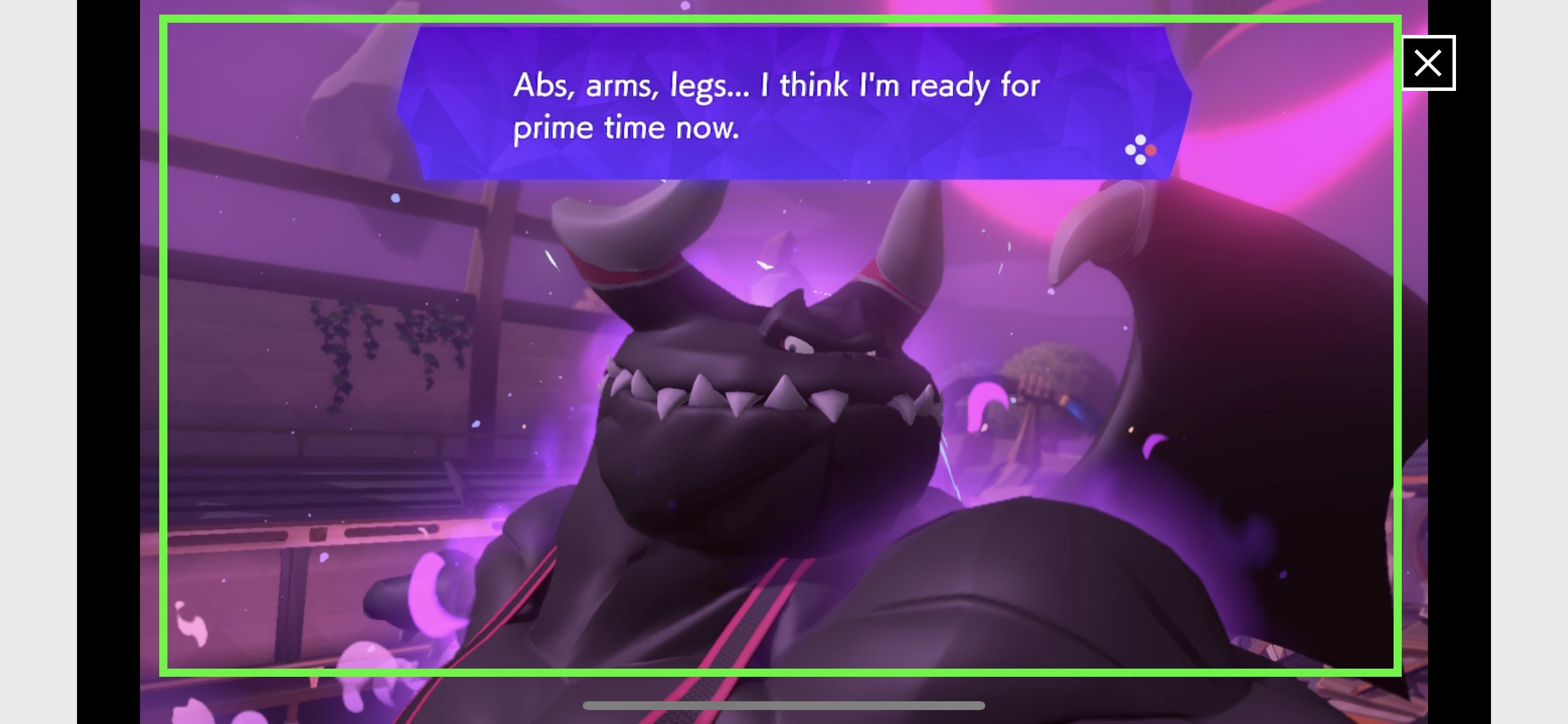
eleven. Long press on the photo
12. Tap Add to Photos
Your options may vary, as I'1000 testing this on an iPhone — and Android file direction looks different.
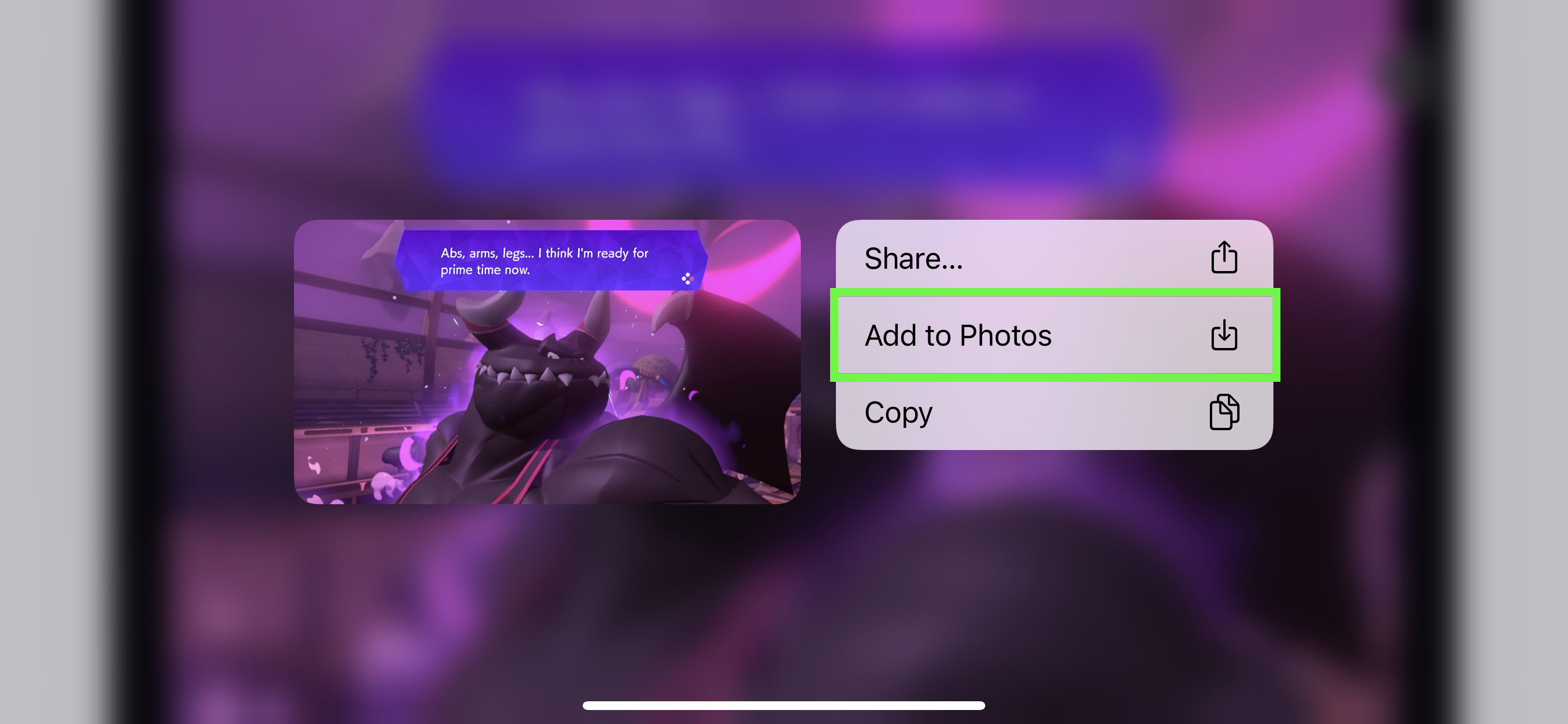
If you lot're using an iPhone, I'd advise using Add to Photos, as Share doesn't always piece of work for me when taking a photograph from a website — it ofttimes just sends a link to the site.
How to send Nintendo Switch screenshots to your estimator
As noted higher up, this procedure did non work on Macs during our testing. It requires a USB-C to USB-C or USB-C to USB-A cable, depending on your computer'due south ports.
1. Select System Settings on the home screen.
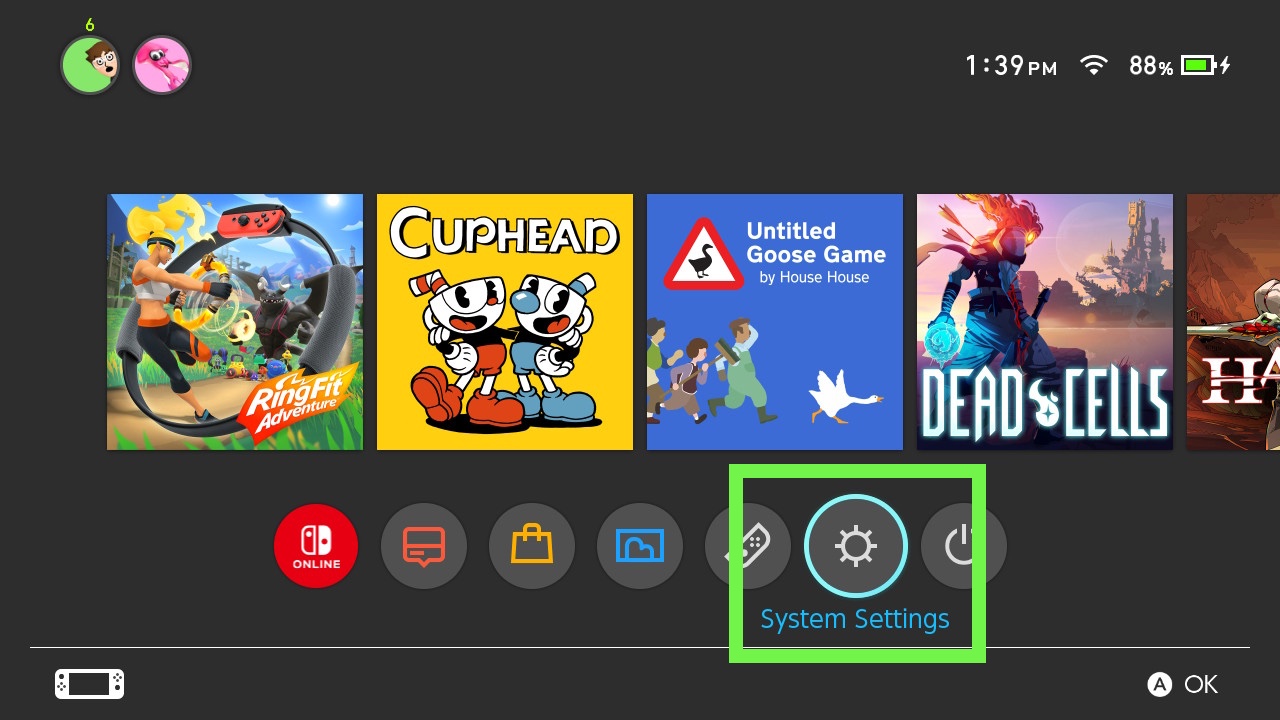
ii. Select Data Management in the left-hand menu
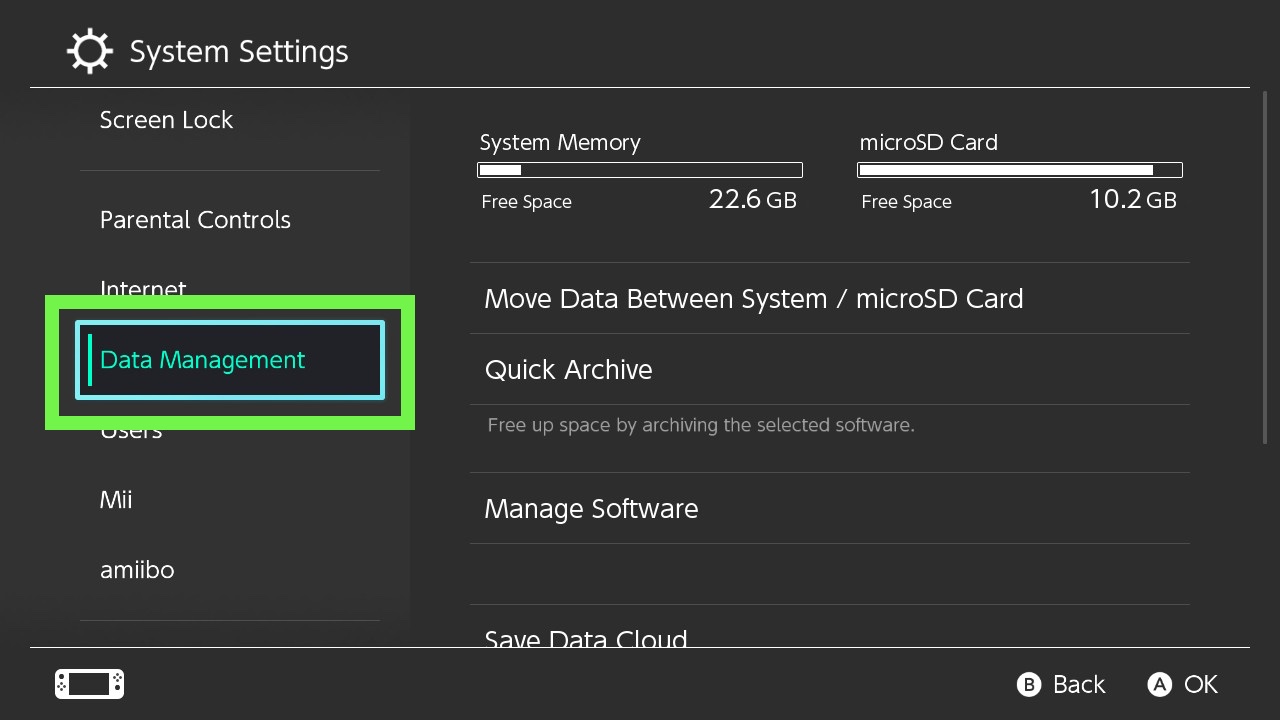
3. Select Manage Screenshots and Videos
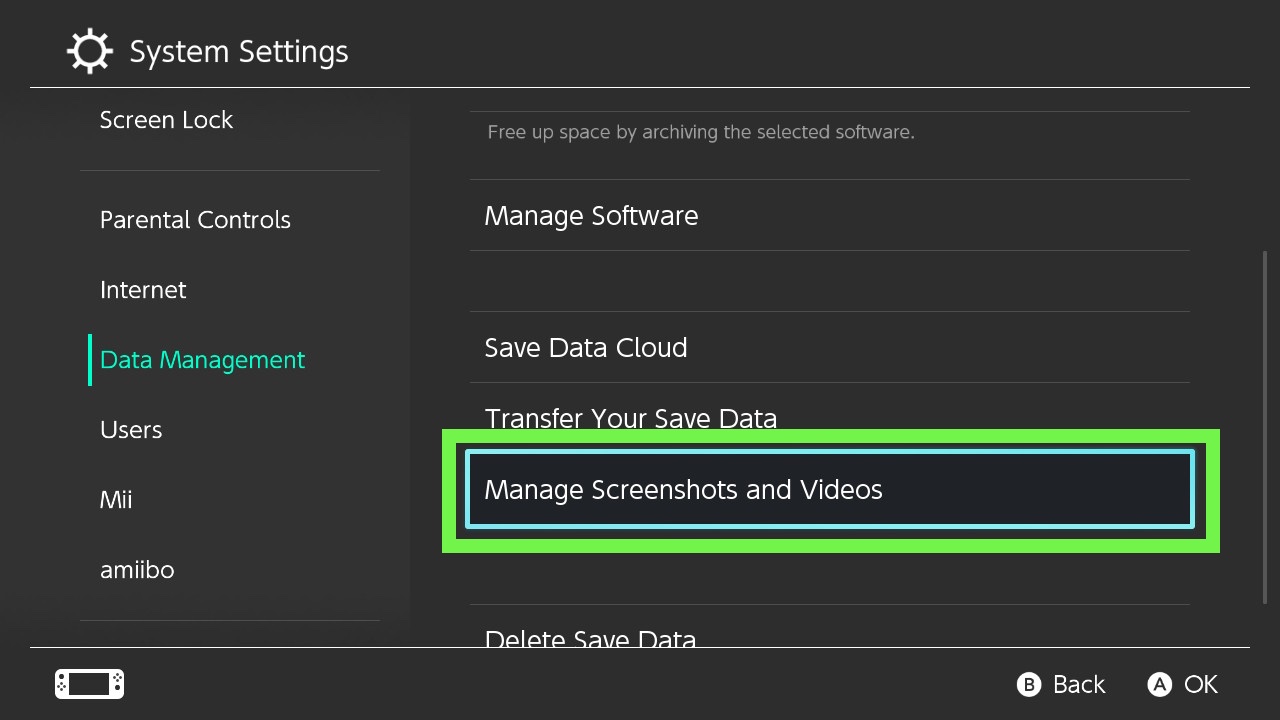
4. Select Copy to a Calculator via USB Connection
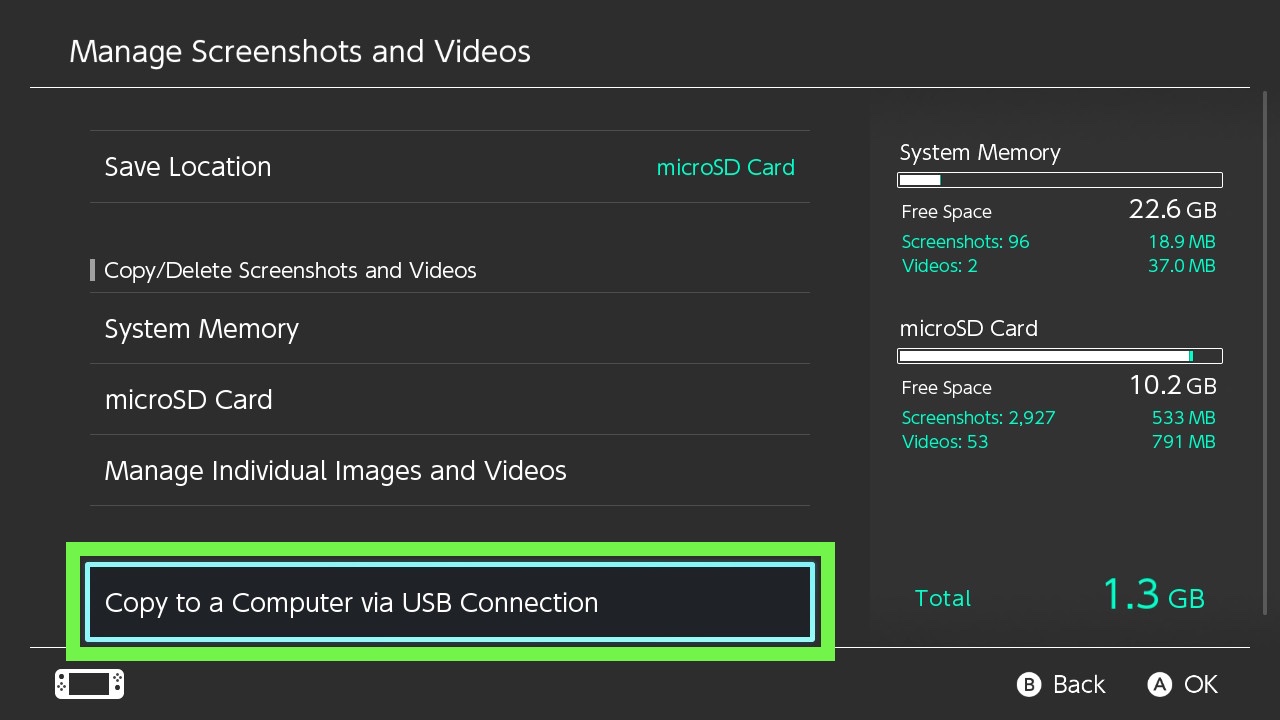
5. Connect your Switch to a PC via USB cable
You'll demand a USB-C to USB-C cablevision if your computer has a USB-C port, or a USB-C to USB-A cablevision if it does not.
half-dozen. Select Nintendo Switch in your file director
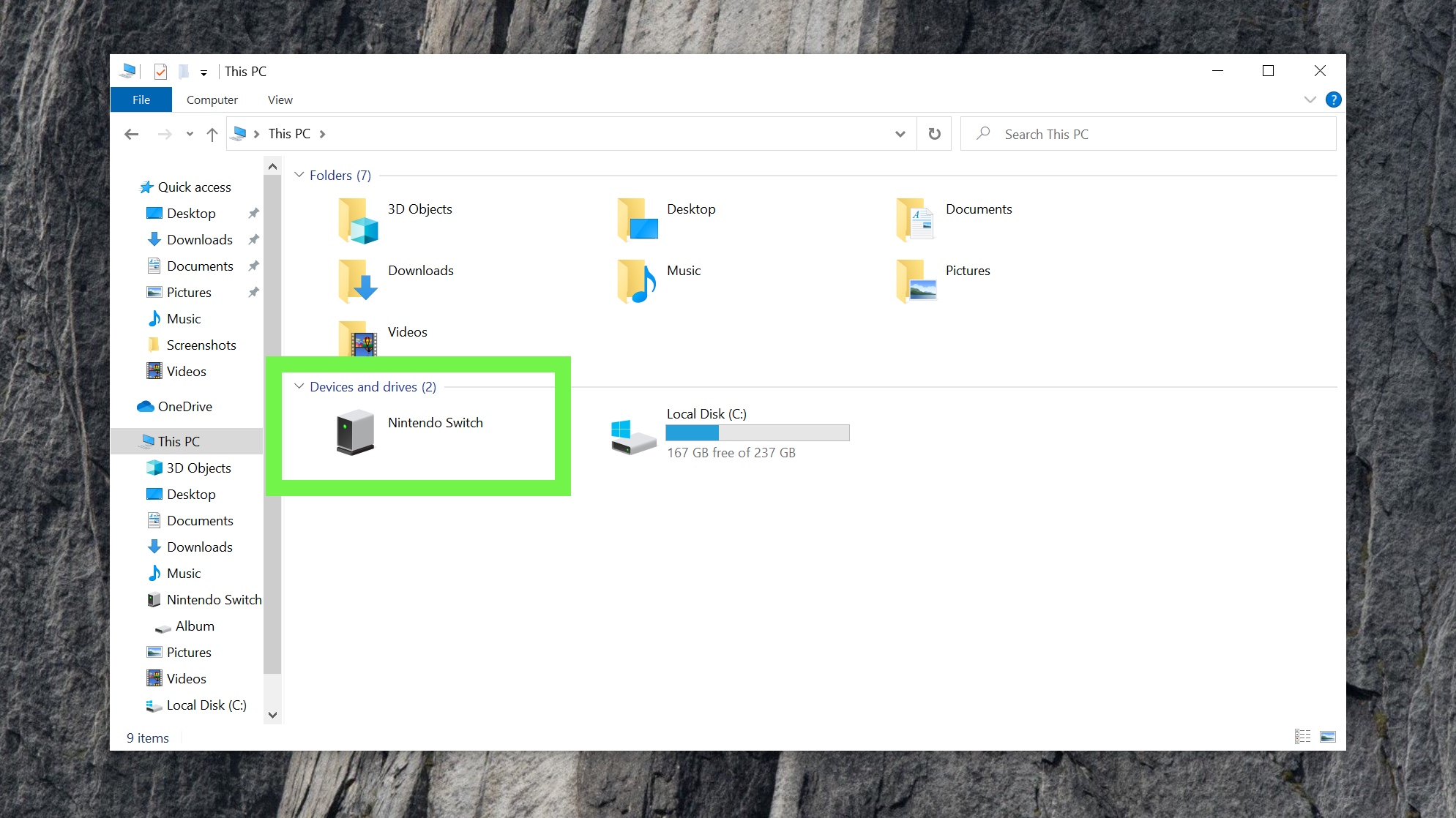
7. Open Album
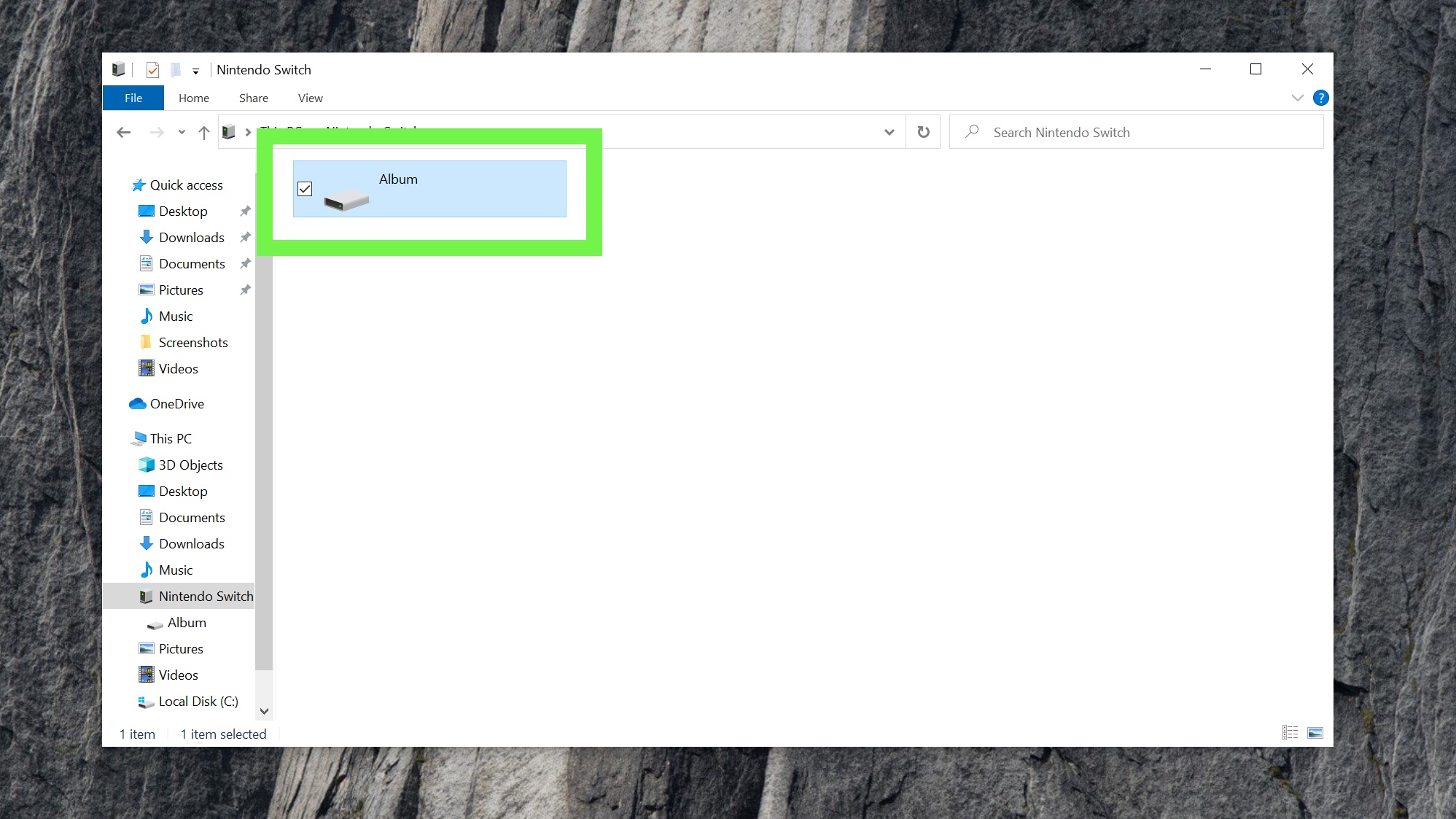
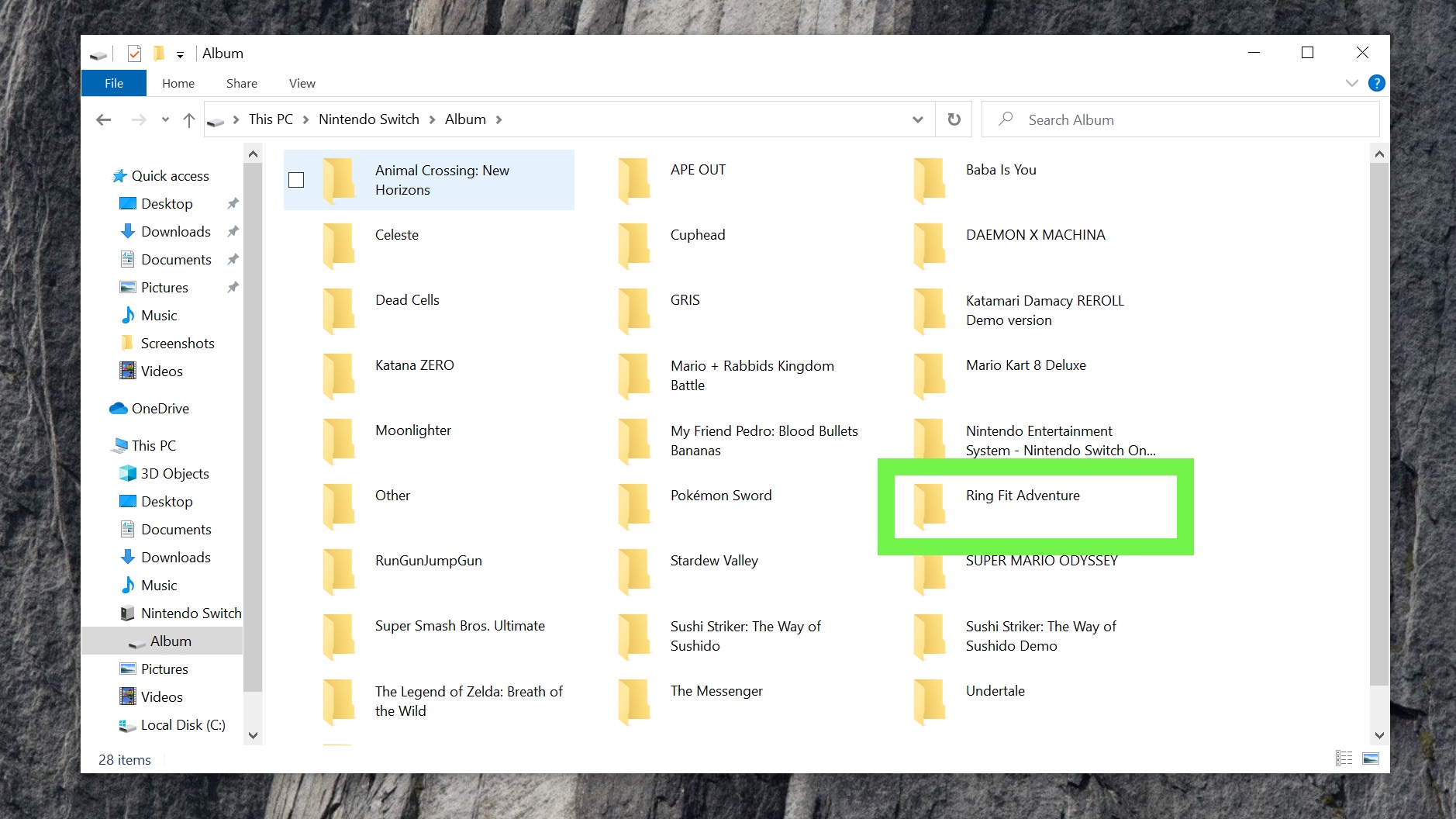
8. Find the binder of the game you're using
Screenshots and video of the Switch interface will exist in Other.
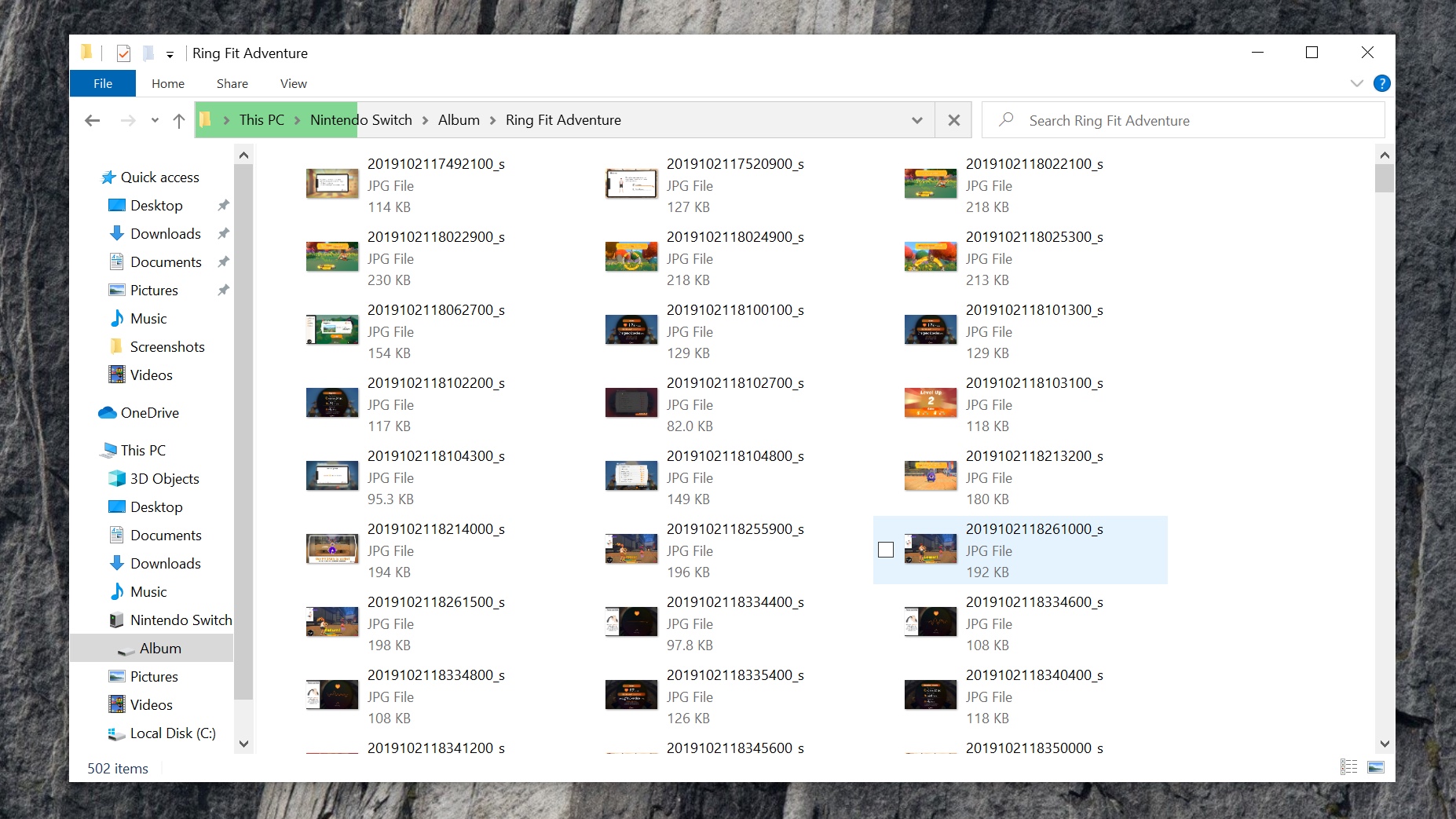
nine. Y'all've found your screenshots
Drag and drop them onto your desktop or into other directories.
There y'all have it! You're no longer limited to just social media and your microSD carte du jour when it comes to getting your screenshots off your Switch!

How To Secretyly Send My Girlfriend A Keylogged Undetected To Her Phone,
Source: https://www.tomsguide.com/news/how-to-send-nintendo-switch-screenshots-to-your-phone-or-computer
Posted by: munozuncerew.blogspot.com
0 Response to "How To Secretyly Send My Girlfriend A Keylogged Undetected To Her Phone"
Post a Comment